 Noel D'Costa
Contents
- What is Snowflake, in one paragraph
- The three layers of Snowflake architecture
- Storage
- Compute: virtual warehouses
- Cloud services
- Features that come from the architecture
- Iceberg, catalogs, hybrid tables and Postgres: where Snowflake has gone
- Editions and security for regulated industries
- What Snowflake is used for, and what it is not ideal for
- Snowflake schema vs star schema: a different thing
- Where I'd start
- Frequently asked questions
Snowflake architecture splits a data platform into three layers that scale independently: storage, compute (called virtual warehouses) and a cloud services layer that coordinates everything. Companies use Snowflake as a cloud data warehouse for reporting and analytics, and increasingly as a place to share data, run Python and build AI on governed data.
That one design choice, keeping storage and compute apart, explains most of what Snowflake does well and most of what it costs.
I've worked with Snowflake on data platform programmes in manufacturing and defence. A pattern I see often: leaders buy it for the analytics, then discover that the architecture decisions (how many warehouses, which edition, where the data lives) decide the bill and the compliance position. This guide is for the CIO, CDO or architect who needs to understand those decisions before signing.
Snowflake is a fully managed data platform that runs on Amazon Web Services, Microsoft Azure and Google Cloud. You don't install it, patch it or tune indexes. You load data, write SQL (or Python), and pay for storage and compute separately.
Snowflake describes its design as a hybrid of shared-disk and shared-nothing architectures: one central store of data, queried by independent compute clusters. One fact matters early for defence buyers: according to Snowflake's own key concepts and architecture guide, it cannot be installed on local or private cloud infrastructure.
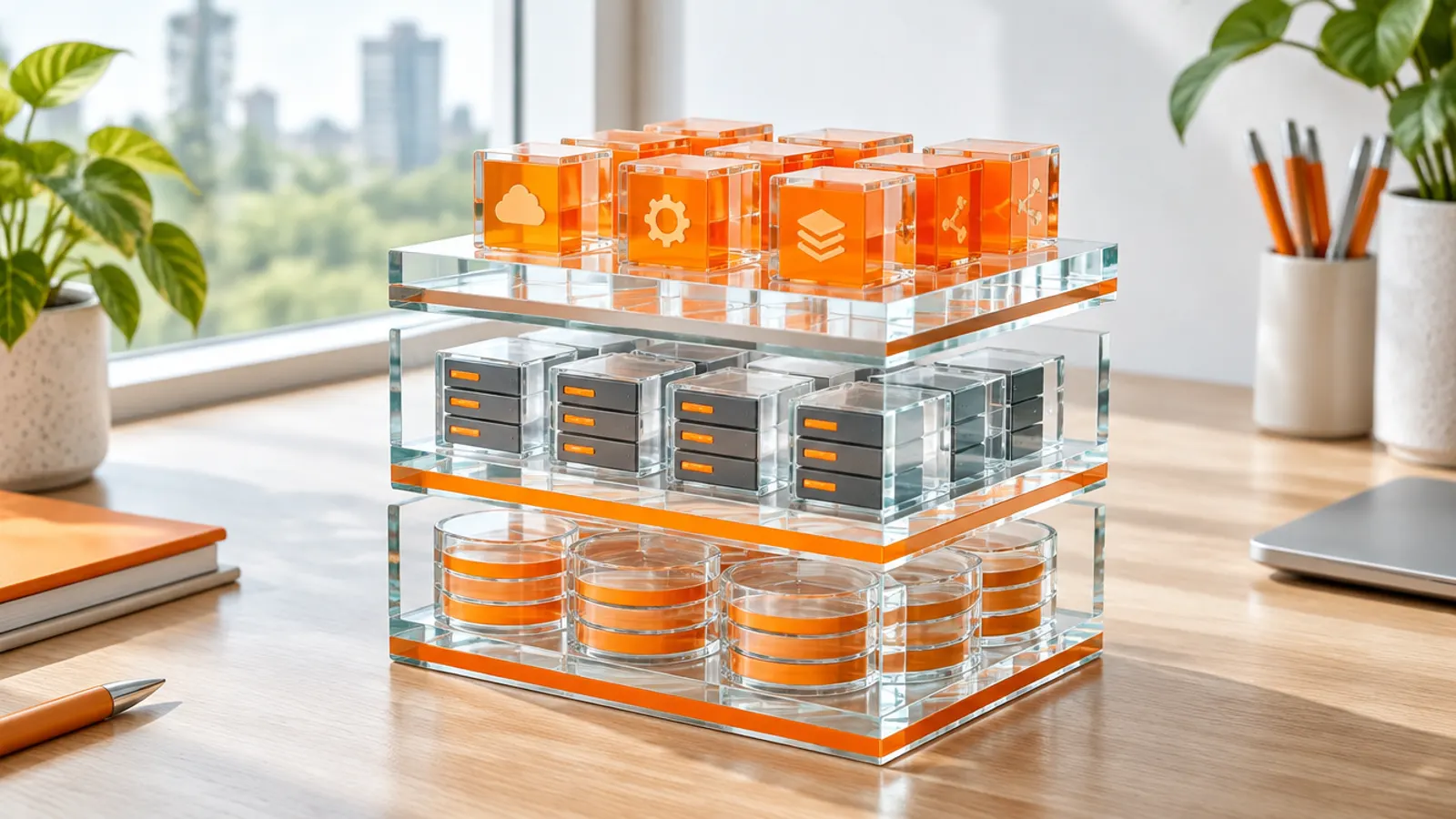
Here is the stack, from the bottom up.
- Cloud servicesSecurity, access control, metadata, query optimisation and transactions
- ComputeVirtual warehouses: independent clusters that run SQL and Python, billed in credits while running
- StorageCompressed columnar micro-partitions in cloud object storage, billed per terabyte
Storage
When you load data, Snowflake reorganises it into a compressed, columnar format and stores it in cloud object storage. It splits every table into micro-partitions, each holding between 50 MB and 500 MB of uncompressed data. Snowflake records metadata for each one, such as the range of values in every column.
That metadata is the clever part. A query filtered on last month's production orders skips every micro-partition whose date range can't match.
This is called pruning, and it is why Snowflake performs well without indexes. It also means the way data arrives (sorted by date or plant, or randomly) affects cost on very large tables.
Compute: virtual warehouses
A virtual warehouse is a compute cluster that runs queries and code. Each one is independent. Your finance month-end reports can run on one warehouse while data science runs heavy jobs on another, and neither slows the other down.
Warehouses come in T-shirt sizes and consume credits only while running. They can suspend automatically when idle. Bigger sizes make individual heavy queries faster.
More clusters handle more users at once, which is what multi-cluster warehouses do: on Enterprise edition and above, a warehouse can add clusters automatically when queries start to queue, then remove them when the load drops. Snowflake is explicit that multi-cluster helps concurrency, not a single slow query. For that you resize.
My pricing guide on Snowflake credits and what drives the bill covers the cost side in detail.
Cloud services
The top layer handles authentication, access control, metadata, query optimisation and transactions. Time Travel and cloning are mostly metadata operations, so this layer makes them possible. You rarely think about it, which is the point.
The interesting features are not bolt-ons. They fall out of the storage and metadata design.
- Time Travel. You can query, clone or restore data as it was at a point in the past. Standard edition keeps 1 day. Enterprise and above can keep up to 90 days for permanent tables, as set out in the Time Travel documentation.
- Fail-safe. After Time Travel expires, permanent table data moves into a 7-day Fail-safe period. Only Snowflake can recover it. Treat it as disaster recovery, not a backup you control.
- Zero-copy cloning. A clone of a table, schema or database uses no extra storage when created, because it points at the same micro-partitions. You pay only for data that changes afterwards. This is how teams spin up full-size test environments in minutes.
- Secure data sharing. A provider shares live tables with another Snowflake account and no data is copied. The consumer pays only for the compute it uses to query. Direct shares work within one region; cross-region sharing goes through listings with auto-fulfilment.
- Snowflake Marketplace. Listings let you publish data products to specific partners or publicly, including third-party data such as weather or market indices.
- Snowpark. Libraries for Python, Java and Scala that push processing into Snowflake instead of pulling data out. Snowpark Container Services, which runs containerised apps next to the data, is generally available on all three clouds in commercial regions.
For a manufacturer, secure data sharing is worth piloting. Be realistic about the starting point: most supplier data exchange I see is still file transfers.
Sharing a governed table is cleaner, and you can revoke it. Start with one supplier and one dataset, and prove it before you plan more.
Snowflake used to mean "your data in Snowflake's format". That has changed, and so have the names. Current status, October 2026:
| Capability | What it does | Status (October 2026) |
|---|---|---|
| Apache Iceberg tables | Data stored in open Iceberg format, in your cloud storage or Snowflake's | GA since June 2024; Snowflake-managed storage option GA June 2026 (commercial AWS and Azure) |
| Snowflake Horizon Catalog | Governance and catalog built on Apache Polaris; external engines read Snowflake-managed Iceberg tables via the Iceberg REST API | Recommended for new customers |
| Snowflake Open Catalog | Managed Apache Polaris service (formerly Polaris Catalog) | GA, but closed to new customers; existing users can continue |
| Hybrid tables (Unistore) | Row-based tables for low-latency transactional lookups next to analytics | GA in commercial AWS and Azure regions only |
| Snowflake Postgres | Fully managed PostgreSQL inside the Snowflake platform | GA since 24 February 2026, on AWS and Azure |
The practical upshot: Iceberg tables let Spark, Databricks or other engines work on the same files Snowflake queries, which reduces lock-in. Snowflake's Open Catalog overview now tells new customers to use Horizon Catalog instead.
Read the limits on hybrid tables before anyone pitches them as an operational database. Each database is capped at 2 TB of hybrid table data, and they don't support Fail-safe, data sharing, replication or streams. They are fine for an application lookup table.
They are not an operational database. If an application needs one next to its analytics, Snowflake Postgres reached general availability in February 2026 and is the more honest fit.
Most Snowflake cost surprises are architecture decisions nobody wrote down.
Snowflake sells four editions: Standard, Enterprise, Business Critical and Virtual Private Snowflake (VPS). The edition decides which security features you get, and the credit price rises with it.
| Feature | Standard | Enterprise | Business Critical | VPS |
|---|---|---|---|---|
| Time Travel | 1 day | Up to 90 days | Up to 90 days | Up to 90 days |
| Multi-cluster warehouses | No | Yes | Yes | Yes |
| Tri-Secret Secure (customer-managed key) | No | No | Yes | Yes |
| Private connectivity (AWS PrivateLink, Azure Private Link, Google Private Service Connect) | No | No | Yes | Yes |
| HIPAA and PCI DSS support | No | No | Yes | Yes |
| Dedicated environment, no shared hardware | No | No | No | Yes |
Tri-Secret Secure combines a Snowflake key with a key you hold in your cloud provider's key management service. Revoke your key and Snowflake can no longer decrypt your data. For defence and aerospace suppliers, that control matters more than any analytics feature.
For US government work, Snowflake runs SnowGov regions on AWS GovCloud and Azure Government, open to US government customers and contractors. Snowflake's supported regions page lists FedRAMP High, Impact Level 4 and ITAR support in those regions, Impact Level 5 in one AWS region, and requires Business Critical edition or higher. Check feature availability region by region: Open Catalog, hybrid tables and parts of Snowpark Container Services are not available in all government regions.
In the defence programmes I've worked on, the first question is never "how fast is it". It is "where does the data sit, who can see it, and can we prove that to an auditor". Snowflake answers that well in the right region and edition.
It cannot answer it for data that must stay in your own building. Classified or export-controlled workloads that require on-premises processing need a different platform, with Snowflake handling the unclassified estate.
Most of what I see falls into a few patterns.
- Enterprise reporting and BI. Finance, sales and operations reporting from ERP data (SAP, Oracle or Microsoft Dynamics 365), with Power BI, Tableau or similar on top. This is still the core use. My guide on getting ERP data into Snowflake covers the extraction options.
- Manufacturing operations data. The plant and operations data I've seen landed in Snowflake is production planning data. Historian, MES, quality and maintenance data can sit alongside it, and semi-structured sensor data in JSON loads natively.
- Data sharing with partners. Suppliers, distributors and customers can query governed tables directly. In practice, most supplier exchange I see is still file transfers.
- Data science and AI on governed data. Python through Snowpark and Snowflake's AI services, covered in my piece on Snowflake Cortex AI and Snowflake Intelligence.
- Consolidation after acquisitions. Several ERPs, one reporting layer, with cloning for safe test environments.
Where I'd hesitate:
- High-volume transactional systems. Hybrid tables and Snowflake Postgres help, but your ERP and MES transactions belong in their own databases.
- Real-time machine control. Snowflake suits minutes, not milliseconds. Streaming sensor data in is fine. Closing a control loop is not.
- Strict on-premises requirements. No on-premises install exists.
- Heavy custom machine learning and data engineering in Spark. It can be done, but many teams find Databricks more natural. My Snowflake vs Databricks comparison goes through that choice.
Snowflake schema vs star schema: a different thing
People searching for Snowflake often land on "snowflake schema". It has nothing to do with the product. A snowflake schema is a data modelling pattern where dimension tables are normalised into sub-tables, so the diagram branches like a snowflake.
A star schema keeps each dimension in one flat table. You can build either model in Snowflake, or in any other warehouse. Most BI teams prefer star schemas for simpler queries.
Before you sign, write down four decisions: which edition you need for your compliance position, which cloud and region, how you will split workloads across warehouses, and whether your data stays in Snowflake's format or in Iceberg. Ask the vendor and your systems integrator to show the credit estimate per warehouse, not a single annual figure. Most Snowflake cost surprises are architecture decisions nobody wrote down.
If ERP data is in scope, read why SAP data migration fails first; the same data quality problems follow you into any platform. If you'd like a second opinion on a Snowflake decision, get in touch.
What is Snowflake used for?
Mainly as a cloud data warehouse for reporting and analytics on business data such as ERP, CRM and operations data. Companies also use it to share live data with partners, run Python data science through Snowpark, and build AI applications on governed data.
What are the three layers of Snowflake architecture?
Storage, compute and cloud services. Storage holds data in compressed, columnar micro-partitions. Compute is made of virtual warehouses that run queries. Cloud services handles security, metadata, query optimisation and transactions. Storage and compute scale and bill separately.
Is Snowflake a database or a data warehouse?
Both, depending on the definition. It is a SQL database built for analytical workloads, which is why it is usually called a cloud data warehouse. With Iceberg tables, hybrid tables and Snowflake Postgres it now covers lakehouse and some transactional use cases too, within limits.
Can Snowflake run on-premises?
No. Snowflake runs only on AWS, Microsoft Azure and Google Cloud. For US government and defence workloads it offers SnowGov regions on AWS GovCloud and Azure Government, which require Business Critical edition or higher.
Is the snowflake schema related to Snowflake the company?
No. A snowflake schema is a data modelling pattern with normalised dimension tables. It predates the company and works in any warehouse.
Which Snowflake edition do regulated companies need?
Usually Business Critical. It adds Tri-Secret Secure with a customer-managed key, private connectivity, and HIPAA and PCI DSS support, and it is the minimum for government regions. Virtual Private Snowflake adds a dedicated environment with no shared hardware.

Written by
Noel D'Costa

Unity Catalog in Databricks: governance set up properly
Unity Catalog is the governance layer for everything in Databricks: one place to control access, track lineage and prove who touched what. Here is how it works and how to design it so it still makes sense in year three.
ERP data into Snowflake: SAP, Oracle and Dynamics 365
The realistic ways to get SAP, Oracle and Microsoft Dynamics 365 ERP data into Snowflake in 2026, the licensing traps for each, and the data-model work that decides whether the platform is trusted.

AI roadmap for manufacturing: from plant data to agents
Your AI pilot works on one line and never reaches the second plant. Here is the four-stage roadmap I use to fix that, with worked examples from presses, rolling mills and planning desks.

Snowflake Cortex AI and Snowflake Intelligence explained
Snowflake Cortex AI is the set of AI services that run inside your Snowflake account. Here is what each part does, what it costs at list price, where the risks sit and how to run a first pilot in manufacturing or defence.
Next step
Running an ERP programme right now?
If this article touched on a programme you are live in right now, a 30-minute conversation usually gets further than another week of internal analysis.