 Noel D'Costa
Contents
- What SAP regression testing covers
- How cloud releases change regression testing
- Public edition: two upgrades a year
- Private edition: a two-year release cycle
- Scope it with impact analysis
- Automate when volume and repetition justify it
- Keep project and BAU changes apart during a programme
- Where to start
- Frequently asked questions
SAP regression testing proves that a change, a support package or a new release has not broken business processes that already worked. You scope it with impact analysis, run the riskiest processes first and repeat it every time the system changes, not just once before go-live.
The triggers are transports, upgrades and cloud releases. On SAP Cloud ERP public edition, SAP sets the upgrade dates, so your regression suite has to be ready before the release arrives.
Regression is one of the test types in my SAP testing guide. This article covers what triggers it, how to scope it, when to automate it and how to keep a programme and live support from breaking each other's work.
SAP is an integrated system. A change to a pricing condition can break billing, and a new field on a sales order can stop an interface. A support package can change a standard program you rely on.
Regression testing reruns tests on processes that were not meant to change. Functional testing asks whether the new thing works, while regression asks whether everything else still does.
It applies across the life of the system, not only during a programme:
- Transports. Every change moved from development to quality is a regression risk for the processes it touches.
- Support packages and feature packs. SAP corrections and new features change standard code under your configuration.
- Release upgrades. A move to a new release, or a cloud release you did not schedule, changes far more at once.
- Conversions. An ECC to S/4HANA conversion keeps your configuration and custom code, so everything you kept has to be retested. My ECC to S/4HANA migration guide explains where that sits in the plan.
- Integrations and extensions. A change in a connected system or a side-by-side extension can break the SAP side without any SAP transport.
Keep the regression suite separate from the tests written for new functions. The suite is a stable library of the processes the business cannot afford to lose, such as order to cash, procure to pay and the month-end close.
On premise, you choose when to upgrade. In the cloud editions, SAP sets more of the timetable, and regression testing becomes a recurring calendar commitment.
Public edition: two upgrades a year
SAP Cloud ERP public edition, formerly S/4HANA Cloud Public Edition, gets two major upgrades a year, in February and August. Smaller feature deliveries arrive between them.
SAP upgrades the test system first and production a few weeks later. That gap is your regression window, and there is no second chance once production is upgraded.
SAP's Cloud ALM course on post-upgrade and regression testing recommends creating a regression test plan in Cloud ALM and reusing it for each release. Public edition also includes a free test automation tool with predelivered test scripts, so the standard processes have a starting point.
Private edition: a two-year release cycle
SAP Cloud ERP Private, the private edition sold through RISE with SAP, follows the on-premise release cycle. According to SAP Learning, a new base release ships every two years, feature pack stacks follow every six months and each release has seven years of mainstream maintenance.
You must install at least one upgrade every seven years to stay in mainstream maintenance, and RISE lets you request one upgrade a year. SAP runs the technical upgrade, but planning, preparation and testing remain the customer's or partner's job.
That split matters for budgets. The upgrade itself may be in the subscription, while the regression testing around it is not.
This table sets the regression triggers side by side:
| Change | How often | Who sets the date | What the regression run must cover |
|---|---|---|---|
| Transport to quality | Daily or weekly | Your team | Processes the changed objects touch |
| Public edition upgrade | Twice a year, February and August | SAP | Every process in scope, custom logic first, in the window before production |
| Private edition feature pack stack | Every six months, if you take it | You, within SAP's schedule | Changed standard functions you use, plus custom code |
| Private edition release upgrade | At least every seven years, up to one a year on request under RISE | You, with SAP | Full suite, custom code and integrations |
| ECC to S/4HANA conversion | Once | You | Everything you kept |
Running the full suite after every change is slow and expensive. Running too little lets defects through, and the gap shows up in production.
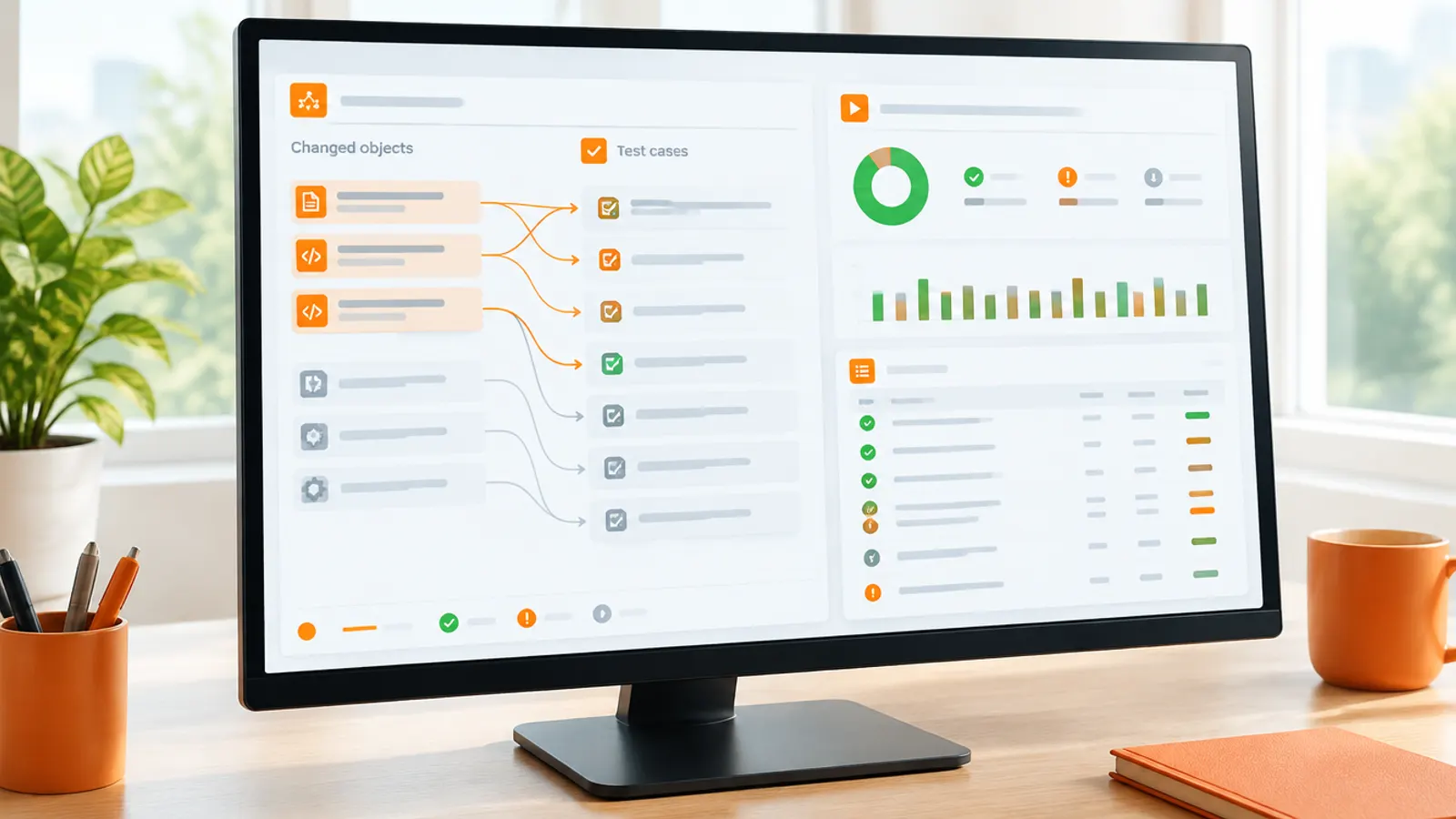
Impact analysis sits between those two. It compares what changed with what you actually use and lists the processes and objects most at risk, so the regression run starts with them.
These are the tools you will meet:
- SAP Solution Manager. The Business Process Change Analyzer, part of the Test Suite, shows which business processes a change affects. The Scope and Effort Analyzer estimates the impact of a support package or enhancement package before you install it, and SAP calls it a planning tool.
- SAP Cloud ALM. Cloud ALM manages regression test plans, execution and defects, and connects to automation tools. For public edition upgrades, SAP's Release Assessment and Scope Dependency tool shows which changes in a release affect your scope.
- Tricentis LiveCompare. According to the LiveCompare documentation, it identifies a minimal set of most-at-risk objects to test, then reports test hits and test gaps against your test repository. SAP resells it as SAP Change Impact Analysis by Tricentis, and it integrates with Tricentis Tosca.
- Panaya. Panaya's SAP upgrade product combines change impact analysis, code correction, test management and automation, and covers S/4HANA versions, feature pack stacks and support package stacks.
Check where your Solution Manager stands before you build on it. SAP Support says mainstream maintenance for Solution Manager 7.2 ends at the end of 2027. Customers who take Business Suite 7 extended maintenance keep it to the end of 2030, and SAP recommends moving to Cloud ALM before the end of 2027.
Impact analysis narrows the scope. It does not set it alone, so keep a core of business-critical processes that run every time, whatever the tool says.
My comparison of SAP testing and validation tools covers how these products fit together and what your SAP support contract already includes.
Keep project changes and live support changes apart, and test each where it belongs.
Regression is where test automation earns its keep, because the same tests run again and again. That does not mean every regression suite should be automated.
My rule is simple. When there is a large number of test cases that need extensive, repeated testing, automate. Below that, manual testing is fine.
A public edition customer running a full suite twice a year, plus transports in between, meets that bar quickly. A small private edition system that changes a few times a year may not.
Ask these questions before you buy:
- How many regression test cases do you have, and how many of them run on every cycle?
- How often do you run them, counting transports, feature packs and upgrades, not only release upgrades?
- How long does a manual run take, and does it fit inside the regression window?
- Who will maintain the scripts when screens and processes change?
Script maintenance is the cost people underestimate. An automated suite that nobody updates fails for reasons that have nothing to do with the system, and the team stops trusting it.
On programmes I have led, my teams have used Tricentis Tosca, Worksoft, Panaya, SAP Cloud ALM, SAP Solution Manager and UiPath. Pick by fit with your systems and your team, not by the demo. My SAP test automation guide covers where to start and how to judge the payback.
The hardest regression problem on an SAP programme is not the tooling. It is two streams of change running through the same systems at once.
While the programme builds new functions, live support keeps fixing production. If both streams share one development and quality path, a support fix can break project testing and a project change can slip into a support release. Then nobody can tell which change caused a failure.
My answer is to run two separate landscapes. One is for the project and one is for business as usual (BAU), so live support changes and project changes are tested apart.
Two landscapes solve the separation, then create a new job. Every BAU fix also has to reach the project landscape, or the project goes live without it.
Plan for that from the start:
- Retrofit every BAU change into the project landscape on a fixed rhythm, and track each one.
- Rerun the affected project tests after each retrofit, not only at the end.
- Freeze BAU changes as cutover approaches, except for urgent fixes that go through both landscapes.
- Run the full regression suite in the project landscape before go-live, with production-level masked data.
The second landscape costs money, but so does a go-live where nobody can say which change broke billing. My S/4HANA testing strategy shows where regression cycles sit alongside integration and user acceptance testing.
Build a regression suite before you need it. List the processes the business cannot afford to lose, write a test for each and run them once by hand to see how long a full cycle takes.
That number tells you whether the next upgrade window is realistic and whether automation will pay. If you are mid-programme, check whether project and BAU changes share one path to production.
If you want an independent view on your regression approach or upgrade plan, I help organisations with this. You can contact me here.
What is SAP regression testing?
It reruns tests on SAP business processes that were not meant to change, to prove a transport, support package, upgrade or new release has not broken them. It covers integrated flows such as order to cash and the month-end close, not only the changed objects.
How often does SAP Cloud ERP public edition need regression testing?
At least twice a year, because SAP upgrades public edition in February and August. SAP upgrades the test system first and production a few weeks later, so the regression run has to finish in that gap. Transports between releases need their own, smaller runs.
Who does regression testing on a RISE with SAP private edition upgrade?
SAP runs the technical upgrade. Planning, preparation and testing stay with the customer or the implementation partner, so budget for the regression effort separately from the subscription.
Which tools help scope SAP regression testing?
Impact analysis tools compare what changed with what you use. Common options are the Business Process Change Analyzer and Scope and Effort Analyzer in SAP Solution Manager, and the Release Assessment and Scope Dependency tool for public edition. Tricentis LiveCompare and Panaya do the same job, while SAP Cloud ALM manages the regression test plans and execution.
Should SAP regression testing be automated?
Automate when there is a large number of test cases that need extensive, repeated testing. Below that, manual testing is fine. Count your test cases and how often they run before you buy a tool, and budget for script maintenance.
How do you regression test during an SAP programme while supporting the live system?
Run two separate landscapes, one for the project and one for business as usual. Live support changes and project changes are then tested apart. Retrofit every BAU fix into the project landscape and rerun the affected tests.

Written by
Noel D'Costa

SAP test automation: where to start and when it pays
When SAP test automation earns back its cost, where to start, how the frameworks differ, and what SAP Cloud ALM, Solution Manager and SAP Test Automation by Tricentis already give you.
SAP test data management: masked, production-scale data
SAP test data has to look like production and must not be production. How to get masked data at production scale into your test systems, which copy methods and tools fit, and where privacy law draws the line.

SAP testing explained: types, phases and owners
What SAP testing is, the six types every S/4HANA programme needs, where each sits in SAP Activate, who should own it and how much of the programme it takes.
SAP testing tools compared: what each one is for
A plain comparison of the SAP testing tools my teams have used: Tricentis, Worksoft, Panaya, SAP Cloud ALM, SAP Solution Manager, UiPath and OpenText LoadRunner. What each one is for, what your SAP support contract already includes, and how to choose.
Next step
Running an ERP programme right now?
If this article touched on a programme you are live in right now, a 30-minute conversation usually gets further than another week of internal analysis.