 Noel D'Costa
Contents
- The real cost of skipping this
- The five non-negotiable sections
- 1. Executive summary with a signature block
- 2. Role and influence mapping
- 3. Business objectives, not technical requirements
- 4. Functional requirements that developers can use
- 5. Non-functional requirements
- The full template outline
- 7 hacks that actually work
- 1. Use the Five Whys in stakeholder interviews
- 2. Create a requirements parking lot
- 3. Use the rule of three for stakeholders who keep changing their minds
- 4. Use the funding allocation technique to force prioritisation
- 5. Number every requirement
- 6. Play requirements back in the stakeholder's language
- 7. Document what was rejected
- What SAP programmes need to add in 2026
- The deployment model goes in the baseline
- An extension decision for every gap
- AI drafts, people decide
- Adapting the template to your project type
- Tools that help
- Frequently asked questions
A requirements gathering template earns its place only if it forces the hard conversations early: who signs, who can block, what success looks like and how fast the system must be. This guide is for project managers, business analysts and SAP leads who need a template that holds up past the first steering committee. Below is the full outline I use, with an owner for every section, the five sections I never skip and seven hacks for interviews, prioritisation and change. Copy the outline into your own document and fill it in before design starts.
I once watched a six-figure project implode because nobody did proper requirements. The client expected one thing. The development team built another. Everyone got thrown under the bus, and that is when I was called in.
The pattern is not unusual. PMI's 2014 Pulse of the Profession report on requirements management found that 47% of unsuccessful projects failed to meet their goals because of poor requirements management. I have seen it play out dozens of times.
I nearly walked into the same situation myself on a big system rollout. Stakeholders were all over the place. Developers were guessing. We stopped, put together a decent requirements template, and delivered what the business needed, on time and within budget.
A friend's company spent $350K on a custom CRM that nobody uses. Sales needed one thing, marketing wanted another, and the developers built what they thought everyone wanted.
A healthcare client of mine wasted 18 months on an EMR implementation that doctors refused to use. Nobody had asked them what they needed in their daily workflow. The project was scrapped and restarted.
Late discovery is expensive. A NASA study of error cost escalation found that a requirements error caught in integration and test cost 21 to 78 times as much to fix as one caught during requirements. Caught in operations, the multiple ran from 29 to more than 1,500. On an enterprise programme, that is the difference between a workshop and a change request worth hundreds of thousands.
- RequirementsThe baseline cost to fixCaught while requirements are still being written
- Integration and test21 to 78 times the costCaught once the system is built and under test
- Operations29 to more than 1,500 times the costCaught after the system is live
Source: NASA study of error cost escalation
After learning this the hard way, these are the five sections no requirements template should skip.
1. Executive summary with a signature block
Busy executives will not read a 30-page requirements document. I once had a sponsor approve a project without understanding what he was signing, then lose his temper when he saw the result. Keep it to one page: business impact, timeline, resources, expected benefit and a signature block on that same page, so approvers cannot claim they missed the critical details.
2. Role and influence mapping
A list of names is not enough. You need a power map: who can sink the project, who must be consulted, who only needs updates. At a previous job, we were six months into development when legal arrived with requirements that forced a redesign. Nobody had thought to include them. Map every affected department, its representative and its influence.
3. Business objectives, not technical requirements
What problem are we solving, and how will we measure success? One manufacturing client implemented inventory software exactly as specified, and it slowed warehouse operations by 20%. The template should force stakeholders to define business success with a current baseline, not a feature list.
4. Functional requirements that developers can use
Drop the jargon. Make each requirement specific and testable. "The system should improve customer experience" is useless. "Users must be able to process a return and issue a refund in under 3 minutes" is a requirement. If you cannot verify it was done, rewrite it.
5. Non-functional requirements
Performance, security, compliance, availability, scalability. This is the section almost everyone skips, and then the system falls over under load or fails a security audit. I heard about a retail project where the system worked perfectly until Black Friday, when it collapsed under load because nobody had specified performance requirements. Write down response times, uptime, peak user loads and compliance obligations as numbers.
Here is the complete outline. The five sections above sit inside it, alongside the logs that keep it alive after sign-off.
| Section | What goes in it | Owner | Signed off by |
|---|---|---|---|
| 1. Executive summary | Problem, business impact, timeline, resources, expected benefit. One page with signature block | Sponsor, drafted by BA lead | Sponsor and finance |
| 2. Scope and deployment baseline | In and out of scope, constraints. For SAP: public edition, private edition or on-premise | Programme director | Steering committee |
| 3. Role and influence map | Departments, representatives, influence level, consult or inform | BA lead | Sponsor |
| 4. Business objectives | Each objective with a KPI, its current baseline and a target | Process owners | Sponsor |
| 5. Functional requirements | ID (e.g. REQ-FUN-023), description, origin, priority, acceptance criteria, fit-to-standard decision | Functional leads | Process owners |
| 6. Non-functional requirements | Performance, security, compliance, availability; for SAP, the extension approach for each gap | Solution architect | IT, security and compliance |
| 7. Parking lot | Deferred requests, who asked, next review date | BA lead | None until promoted |
| 8. Rejected log | What was rejected, why, when and by whom | BA lead | Sponsor |
| 9. Change log | Every change after sign-off with its time and cost impact | PMO | Change board |
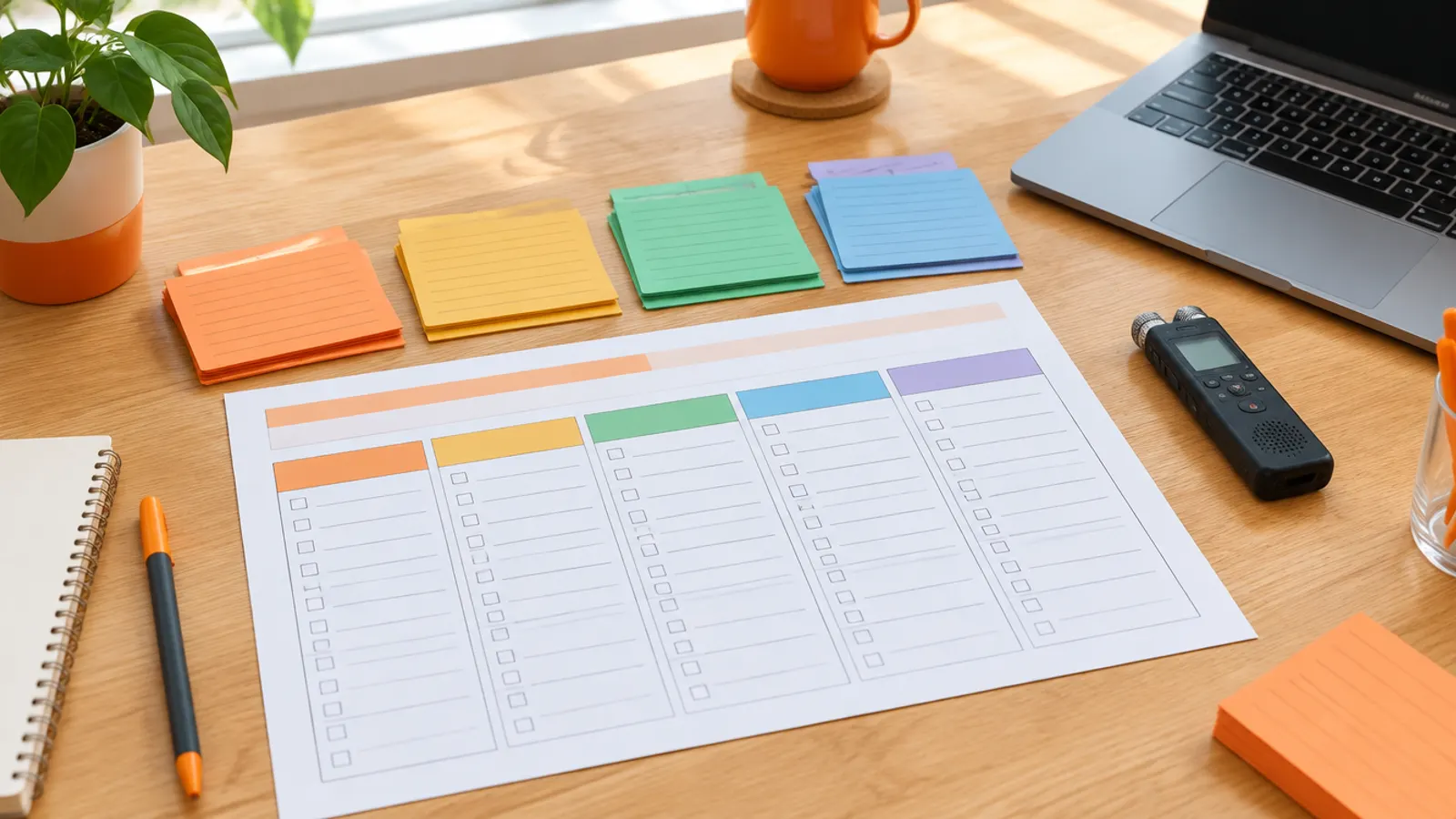
1. Use the Five Whys in stakeholder interviews
Ask "what do you need?" and you get a wish list. Ask about pain instead: "What makes you want to throw your computer out of the window?" Then ask why, and why again, five times. The real requirement is usually different from the first request.
I had a stakeholder insist on complex reporting capabilities. After we walked through his actual use cases, he needed three simple dashboards.
2. Create a requirements parking lot
A fair share of what stakeholders ask for will never be used. When someone insists on something questionable, I do not argue. I put it in the parking lot and send a monthly reminder asking whether it should move to active requirements. Most stay parked for good.
3. Use the rule of three for stakeholders who keep changing their minds
They can change direction twice without consequence. On the third change, they email their boss explaining the change and its impact. Nobody wants to send that email. The changes stop.
4. Use the funding allocation technique to force prioritisation
Give each stakeholder 100 virtual dollars to spend across all requirements. They cannot have everything, so they put money where it matters. I did this with a financial services client that had more than 200 "critical" requirements. Within an hour, we had the real top 20.
5. Number every requirement
Use a consistent format such as REQ-FUN-023. It ends the "which requirement are we talking about?" confusion that wastes meeting time. Record the origin, who asked and why, so you know whom to call when items need cutting.
6. Play requirements back in the stakeholder's language
After documenting, read requirements back to stakeholders in their own words. Build a quick prototype or wireframe for anything complex before development starts. Misunderstandings surface while they are still cheap.
7. Document what was rejected
Someone will bring back a rejected requirement in month five. "We discussed this in April, and here is why we decided against it" ends that conversation quickly. Without the log, you have the argument again.
A healthcare client of mine wasted 18 months on an EMR implementation that doctors refused to use, because nobody had asked them what they actually needed in their daily workflow.
The seven hacks work on any project. SAP programmes need three extra things in the template.
The deployment model goes in the baseline
Capture the deployment model before you gather functional requirements: S/4HANA Cloud Public Edition (through GROW with SAP, or RISE), Private Edition (usually through RISE) or on-premise. It shapes what is possible. Public edition allows no modification of the core, so requirements that depend on non-standard processes must be reshaped or rejected. Private edition and on-premise allow more, at the cost of upgrade effort.
Gather requirements before that decision and you will rewrite many of them when it lands.
An extension decision for every gap
SAP's clean-core approach means every gap needs a recorded decision: configure it, extend it using released APIs (on-stack with ABAP Cloud or side-by-side on SAP BTP), or reject it. On public edition this is enforced by the product. On private edition and on-premise it is SAP's strong guidance, and every modification you allow becomes upgrade work later. Put the decision in section 6 of the template, next to performance and security, and give one architect the authority to approve it. My clean core guide explains the levels.
AI drafts, people decide
AI now helps with the paperwork. SAP Cloud ALM offers a requirement generation feature that drafts requirements from fit-to-standard workshop transcripts into a template, paid for through AI units. General assistants such as Microsoft Copilot draft summaries and minutes from meeting notes.
AI drafting tools save real time on the paperwork when the source material is clean. They do not change the interview. A human still asks the Five Whys. And no tool makes a department head sign the executive summary. Validation, prioritisation and sign-off stay human work.
Software development. Add technical constraints, integration points, user flows (the actual steps users take, not just the features) and pass/fail acceptance criteria. We missed this on a customer portal project and spent three months arguing about whether features were "working right".
Process improvement. Map the current state with all the messy workarounds people do not mention in meetings, assess the impact by role and capture hard performance baselines. A manufacturing client overhauled its warehouse process without baselines. Six months later it could not prove the improvement or justify the spend.
Vendor selection. Separate must-haves from nice-to-haves, weight the scoring criteria and spell out support and implementation expectations in painful detail. I watched a company choose a vendor almost entirely on features and demo impressions. It ignored support requirements and ended up with a system it could not implement without large additional consulting fees.
For smaller projects: Trello to move requirements through approval stages, Google Docs with comments for review and Miro for process mapping in workshops.
For enterprise programmes: Jira with a requirements management add-on, Confluence for living documents (its AI features now sit under Atlassian's Rovo brand), and Modern Requirements if you run Azure DevOps. On SAP programmes, SAP Cloud ALM holds requirements, user stories and test cases in one place, linked to the SAP Activate roadmap.
The tool matters less than the connection. Link requirements to your project plan and test cases, and send automatic notifications when a requirement changes. "I didn't know that changed" kills more projects than poor tooling. Once requirements are signed off, my guide to avoiding scope creep in SAP implementations covers keeping them that way, and SAP quality gates shows where requirement sign-off fits in the governance cycle.
A template nobody opens after sign-off is theatre. The ones that work are short, owned section by section and updated every time someone changes their mind, which, on any programme worth running, is every week.
What are the 5 stages of requirements gathering?
- Elicitation: collecting information through interviews, workshops and observation
- Analysis: organising, prioritising and resolving conflicts between requirements
- Documentation: writing the specification (BRD, FRD or user stories, depending on method)
- Validation: confirming requirements reflect real needs and can be tested
- Management: tracking changes for the rest of the project
Each stage builds on the one before. Rushing elicitation, which most teams do, creates problems in every stage after it.
What is the difference between a BRD and an FRD?
A Business Requirements Document (BRD) covers business needs: background, goals, stakeholders, constraints and high-level requirements. It answers "what does the business need?"
A Functional Requirements Document (FRD) covers how the system will behave: user stories, system behaviour, interfaces and acceptance criteria. It answers "what must the system do?"
I always start with the BRD to get business alignment before the FRD. Teams that jump straight to the FRD often build a technically correct system that solves the wrong problem.
What are the 3 types of requirements?
- Business requirements: why the project exists, its objectives and success measures
- Functional requirements: what the system must do
- Non-functional requirements: how well it must do it (performance, security, scalability, compliance)
Most project failures I have seen trace to missing non-functional requirements. The system does what was asked, then falls over under real load or fails a compliance audit.
How does the SAP deployment model change requirements gathering?
Capture it first. S/4HANA Cloud Public Edition allows no modification of the core, so requirements built on non-standard processes have to be reshaped or rejected. Private Edition and on-premise allow more flexibility, but every modification adds upgrade effort.
Gather functional requirements before the decision and you will rework many of them. Add a recorded extension decision (configure, extend through released APIs, or reject) for every gap.
What makes a requirement testable?
A clear, measurable pass/fail condition. "The system should be fast" is not testable. "Search results must return in under 2 seconds for 95% of queries at standard load" is.
My test: can you write the test case right now, with clear pass/fail criteria? If not, rewrite the requirement. Untestable requirements cause more go-live disputes than anything else I see.
How do you prevent requirements from constantly changing?
- Change control: any change after sign-off documents its time, budget and resource impact before anyone approves it. Make the cost of change visible.
- Parking lot: new requests go to the parking lot, not straight into scope. Review monthly. Most urgent-seeming requests do not survive the wait.
- Quality gates: define what "requirements complete" means and do not start design until it is met.
On SAP programmes, the extension decision adds a technical check on top: a request that needs a core modification must clear the architect before it can be approved.

Written by
Noel D'Costa

Best SAP implementation strategies to avoid costly mistakes
SAP implementations rarely fail because of the technology. They fail because the strategy does not fit the business, or the team cannot hold the discipline behind it.

SAP implementation templates: the SAP Activate set by phase
The SAP Activate templates that matter in each phase, who owns them and when they are signed off, from scoping and fit-gap to the cutover plan and go-live readiness checklist.
SAP project scope template: what to define and exclude
Most SAP scope disputes come from things nobody wrote down. A nine-section scope template, what to exclude in writing, and the controls that stop scope creep.
SAP implementation timeline: phase durations and 5 mistakes
How long an SAP implementation takes on GROW, RISE and ECC paths, how long each SAP Activate phase runs, and the five planning mistakes behind most overruns.
Next step
Running an ERP programme right now?
If this article touched on a programme you are live in right now, a 30-minute conversation usually gets further than another week of internal analysis.